Context Menu
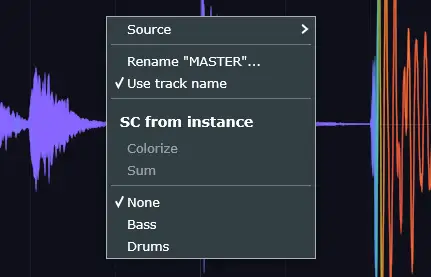
Right-click on the waveform area to open the context menu.
Source
Selects the audio source for the current instance — Left, Right, Mid, or Peak. Works the same as Default Source in the main menu, but applies only to this instance.
Rename
Instances can be renamed for easier identification. In the VST3 version, the name is automatically taken from the DAW track name.
Use Track Name
When enabled, the instance name stays in sync with the DAW track name. If you rename the track, the instance name updates automatically.
Instance Overlay
The lower section of the context menu controls how instances interact with each other — sidechain from instance, colorize, sum, and overlay selection. See Instance Sidechain for details.