Introduction
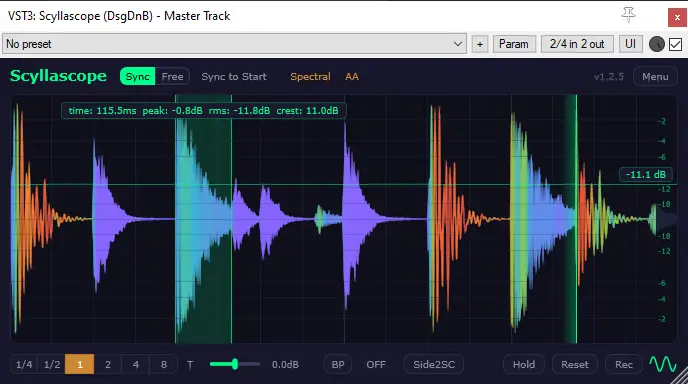
Scyllascope is a free, modern, cross-platform oscilloscope plugin for Windows, macOS, and Linux.
Why use an oscilloscope?
An oscilloscope turns invisible audio behavior into something you can immediately understand and control. It shows the waveform of your audio signal in real time — what you actually hear, drawn as a shape. This is useful in a number of situations:
- Dynamics and transients — see how compressors and limiters reshape your peaks. Compare the waveform before and after processing to understand exactly what the plugin is doing.
- Clipping and headroom — visually catch clipping and overs that meters alone might not make obvious, especially short transient spikes.
- Sub and bass content — low frequencies are hard to judge on most monitors. An oscilloscope lets you see the shape and level of your sub, even if you can't hear it clearly.
- Sidechain and ducking — verify that your sidechain routing is working as expected and see the volume envelope it creates.
- Waveform symmetry — spot DC offset or asymmetric waveforms that can eat up headroom and cause issues during mastering.
- Sound design — observe how synth parameters, LFOs, and modulation affect the signal in real time.
Design goals
Scyllascope is meant to be an everyday tool — simple enough to throw on a track, nice-looking out of the box, and opens instantly. Everything visual can be toned down if you prefer a lighter setup.
Beyond the basics, Scyllascope packs a lot more — spectral view, frequency filtering, waveform overlay, built-in recorder, and other features covered throughout this documentation.